An AI image prompt generator for you to play with.
Tap a subject, a setting and a style, and the idea mixer builds a prompt for you to copy. Then make it your own with fill-in-the-blank templates, snippets to tack on and a few simple tricks. Looking for finished prompts with pictures? See the prompt ideas.
The idea mixer
Out of ideas? Tap a few options, or hit Surprise me, and copy the prompt it builds. It writes for Direct mode, where the style you tap is the style you get.
Your prompt
Tap a few options, or try Surprise me.
Fill-in-the-blank templates
Swap the highlighted words for your own and you’ve got a prompt. Each one says which mode it’s for: the ones with “me” need DreamBot mode, so they leave the style to the Style menu.
Direct mode
Royal pet
YOUR PET as a ROYAL ROLE on a velvet throne in PLACE, wearing TINY ACCESSORY, ART STYLE, LIGHT.
For example: A tabby cat as a queen on a velvet throne in a candlelit palace hall, wearing a tiny gold crown and an ermine cape, Renaissance oil painting, warm candlelight.
DreamBot mode
Movie poster starring you
A movie poster for "TITLE" starring me / a Dream Cast name as ROLE, WHAT'S HAPPENING.
For example: A movie poster for "THE LAST WAFFLE" starring me as a fearless diner cook, leaping over the counter as pancakes fly through the air.
Direct mode
Animal band album cover
An album cover called "ALBUM NAME" for a band of ANIMALS in OUTFITS, posing WHERE, DECADE album cover style.
For example: An album cover called "SPACE SNACKS" for a band of four penguins in sparkly silver jumpsuits, posing on the moon beside a rocket shaped like a guitar, 1970s album cover style.
Direct mode
Pet with a day job
A ANIMAL working as a JOB in PLACE, wearing UNIFORM, with PROP and PROP. ART STYLE, LIGHT.
For example: A beagle working as a librarian in a cozy village library, wearing tiny reading glasses and a cardigan, with a rolling cart of books and a date stamp. Storybook watercolor, soft afternoon light.
DreamBot mode
You, in another century
Me as a ROLE in ERA, DOING SOMETHING in PLACE with PROP and PROP.
For example: Me as a 1920s jazz singer, singing on a small club stage with a brass band and a velvet curtain.
Direct mode
Dramatic portrait of a thing
A very dramatic portrait of EVERYDAY OBJECT posing on WHERE, wearing ACCESSORY, ART STYLE, LIGHT.
For example: A very dramatic portrait of a toaster posing on a velvet pedestal, wearing a pearl necklace, moody black-and-white studio photography, a single spotlight from the side.
Direct mode
Make-your-own greeting card
A OCCASION card showing SCENE with PROP and PROP, ART STYLE, with "YOUR MESSAGE" in LETTER STYLE across the top.
For example: A birthday card showing a hedgehog blowing out the candles on a giant cupcake with balloons and confetti, storybook watercolor, with "Happy Birthday Mom" in curly gold letters across the top.
Direct mode
A world in a teacup
A tiny PLACE built inside EVERYDAY CONTAINER, with MINI PROP, MINI PROP and TINY CHARACTER DOING SOMETHING. Tilt-shift miniature photo, LIGHT.
For example: A tiny beach resort built inside a teacup, with striped umbrellas, a lifeguard chair and a tiny surfer waxing a board. Tilt-shift miniature photo, bright summer light.
Snippets to tack on
Tap any phrase to copy it, then add it to the end of a prompt. The art styles steer the look in Direct mode; in DreamBot mode, pick your style from the Style menu instead.
In DreamBot mode, every style in the Style menu wears one of two tags:
Face
Real Face. The real you, true to life, right in the dream. Photography, Canvas, Watercolor, Comics, Pencil, Pop Art and more.
Dream Art
Dream Art. A fun look-alike of you, reimagined in the style. Pixels, Anime, Bricks, Animation, Claymation, Vinyl and more.
Art styles
Light
Mood and color
Make it funny
Make it epic
The five-part recipe
Most great prompts follow the same simple shape. Fill in these five and you’re most of the way there.
SubjectWho's the star, and what are they up to?
SettingWhere are they, and what's lying around? Name two or three props.
StylePick one look: storybook watercolor, claymation, an old oil painting. (In Direct mode; see the note below.)
LightWhen is it? Golden hour, a snowy dusk, candlelight at midnight.
DetailsOne finishing touch that makes you grin: a ladybug on an ear, a biscuit on a silver tray.
A note on style. Naming the art style in your prompt works in Direct mode, where DreamBot sends your words to the model exactly as written, so you have full control over the look. In DreamBot mode, the Style you pick in the app sets the look instead, so keep the prompt to who, where and what’s happening. More on the two modes.
The recipe in action
Direct mode · Flux 1.1 Pro
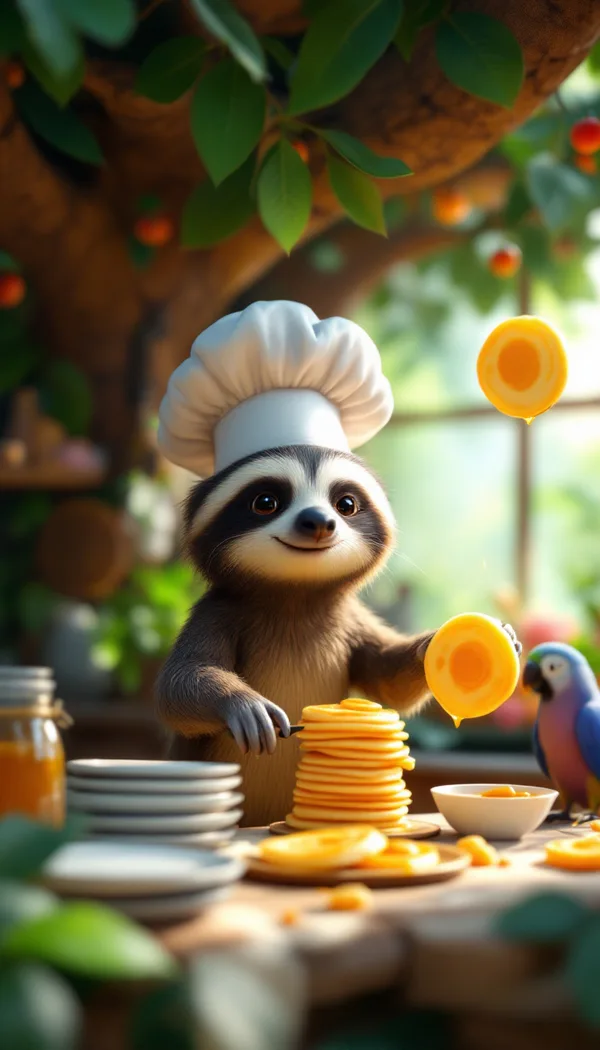
A sloth in a tiny chef's hat flips pancakes in a treehouse kitchen, beside a stack of plates, a jar of honey and a sleepy parrot. Glossy 3D animation, warm morning light through the leaves, one pancake stuck to the ceiling.
Subject, setting with props, one style, the light, one finishing touch.
Two ways to make a picture
DreamBot’s studio has two modes. Same prompt box, different superpowers.
Direct mode
Your words, exactly as written
Direct mode sends your prompt straight to the AI model you picked, with nothing added. You’re in full control: the subject, the setting, the light and the art style all come from what you type. The idea mixer and most of the prompt packs are written for Direct mode.
“A raccoon barista pouring latte art in a cozy café, storybook 3D animation, morning light”
DreamBot mode
You in the picture
DreamBot mode runs DreamBot’s own engine. Write “me”, “my wife”, “my husband” or a name from your Dream Cast, and the real people are in the dream. You pick the look from the Style menu, so the prompt only needs who, where and what’s happening.
“me and my wife on a gondola in Venice” + the Watercolor style
No jargon, just five habits that make pictures better, with a few side-by-sides so you can see the difference. They work in both modes, except the art style (see the note in the recipe).
Give it a job
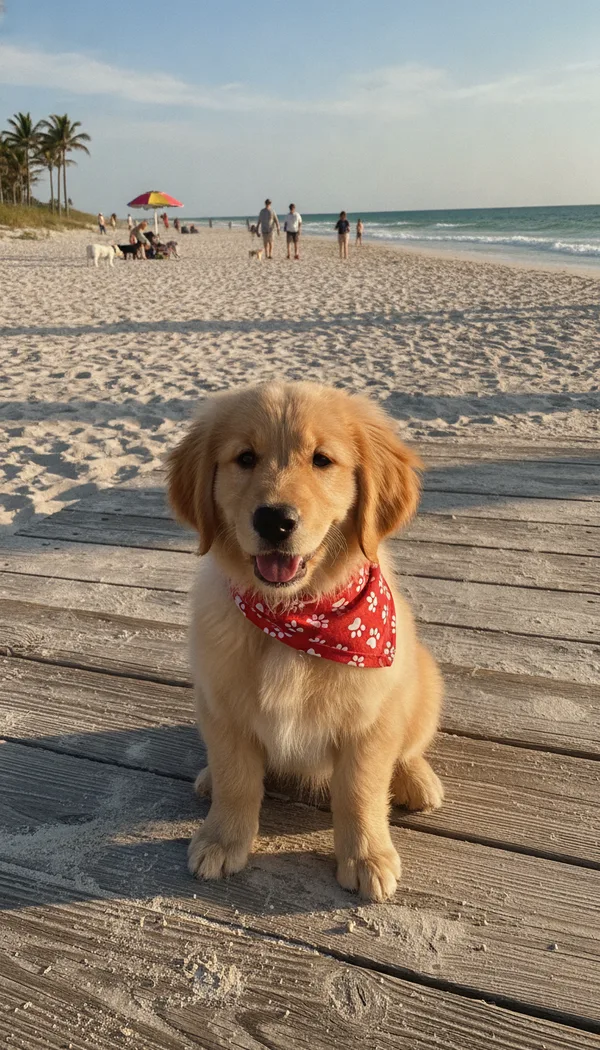
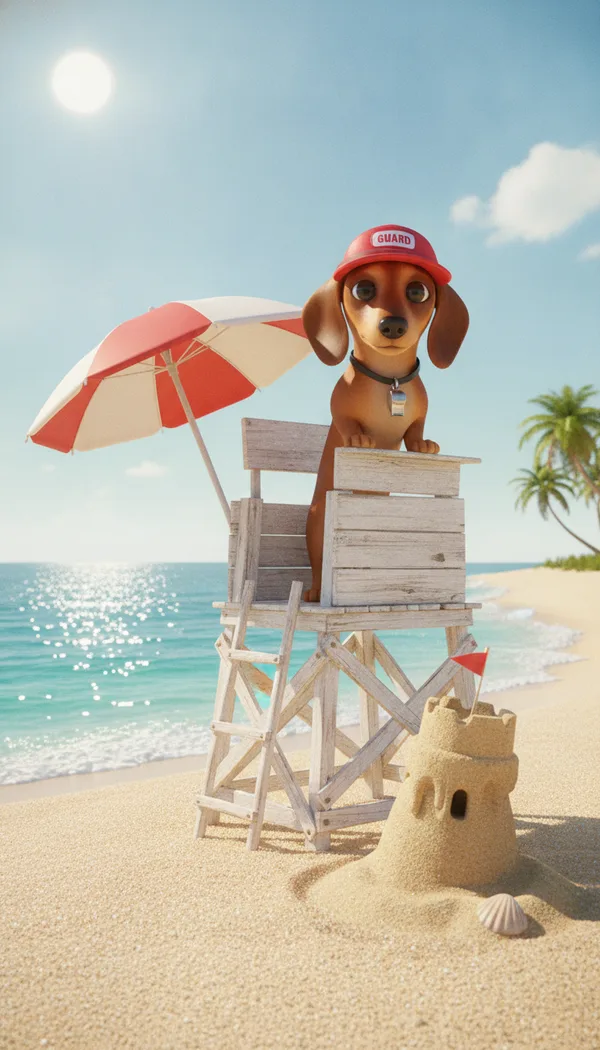
A dog at the beach is nice. A dog on lifeguard duty is a story. Give your star something to do and the whole picture wakes up.
BeforeA cute dog at the beach.AfterA dachshund in a red lifeguard visor with a whistle keeps watch from a tiny lifeguard tower on a sunny beach, beside a striped umbrella and a lopsided sandcastle. Glossy 3D animation, bright noon light.
Both made with Nano Banana
Name the props
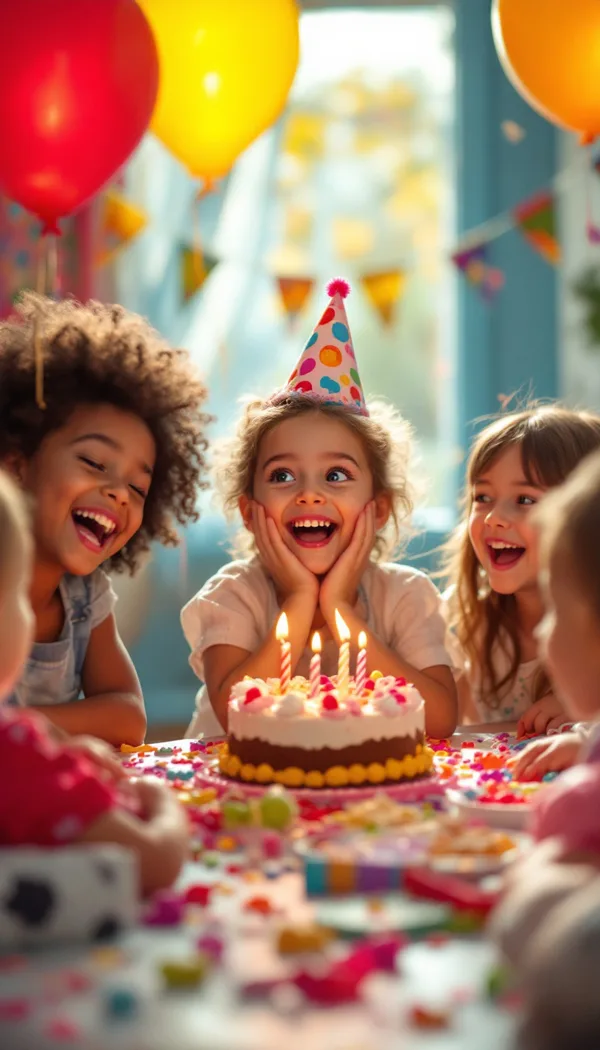
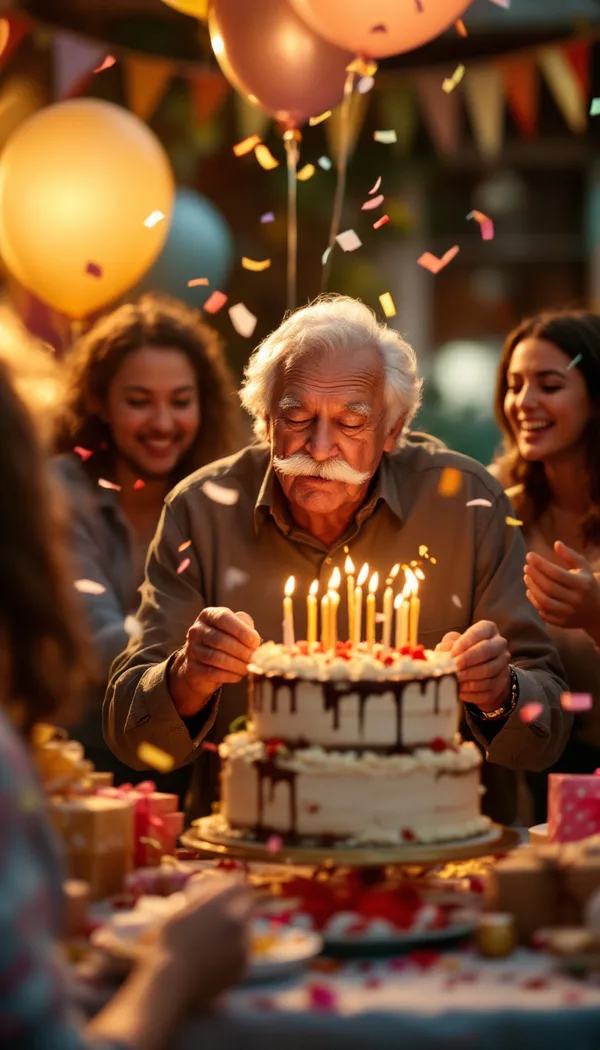
"Fun party vibes" is a feeling. Balloons, a three-tier cake and a grandpa blowing out the candles are things you can see, and the fun shows up on its own.
BeforeA happy birthday party with a fun, joyful atmosphere.AfterA grandpa in his eighties with a white mustache blows out the candles on a three-tier cake, surrounded by balloons, wrapped presents and paper bunting as friends cheer. Warm candid photograph, golden afternoon light, confetti in the air.
Both made with Flux 1.1 Pro
Pick one art style
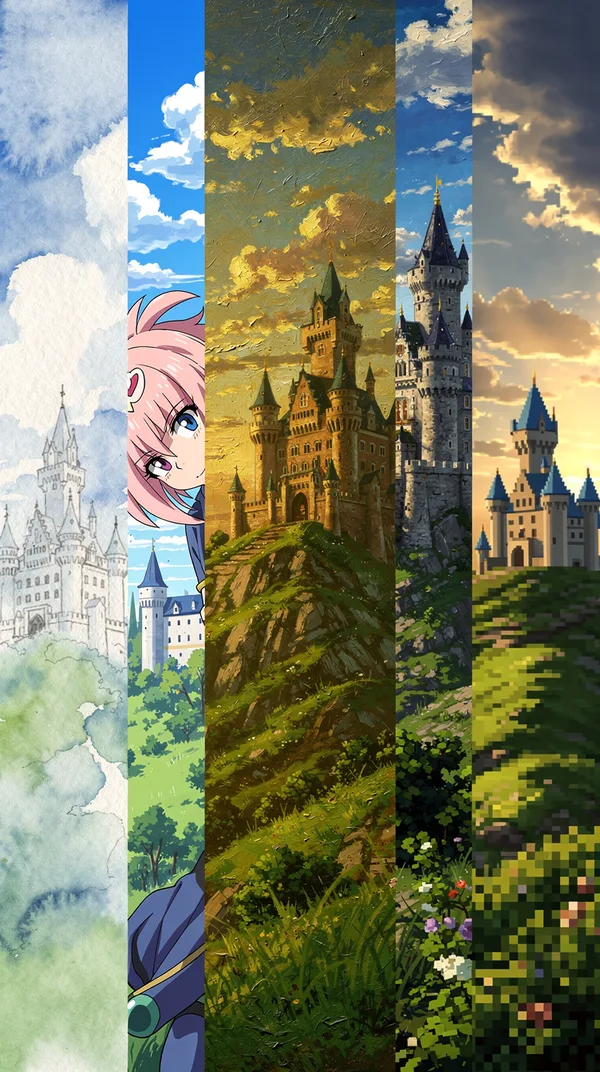
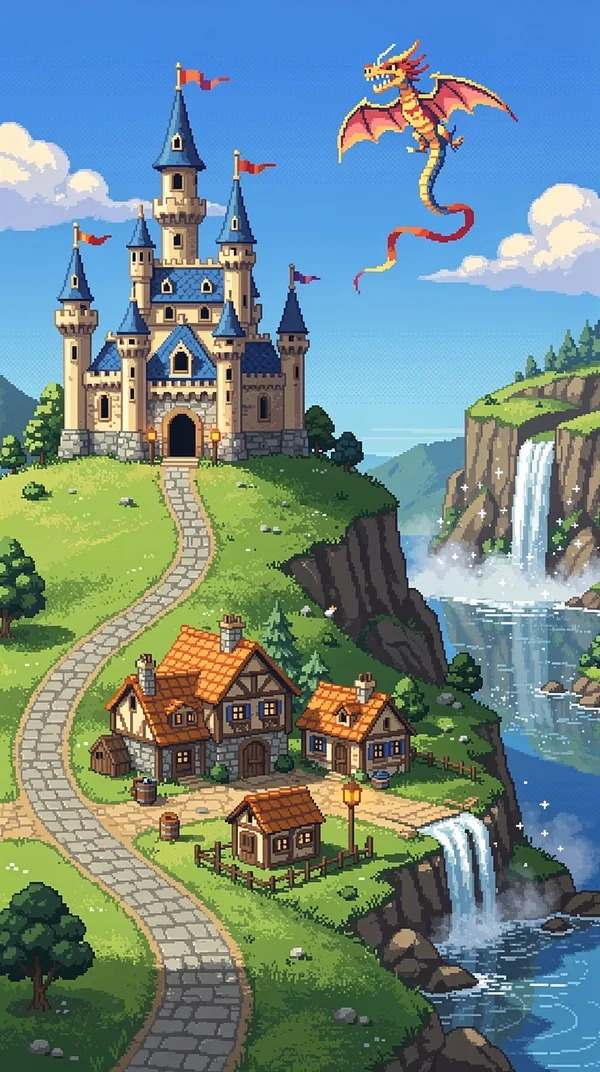
Ask for watercolor, anime and oil paint all at once and you get a muddle. Pick your favorite and let it run the whole picture: name it in your prompt in Direct mode, or choose it from the Style menu in DreamBot mode.
BeforeA castle on a hill, watercolor, anime, oil painting, 3D, pixel art, photo.AfterA castle with blue turrets on a grassy hill above a sleepy village, with a winding road and a waterfall. 16-bit pixel art, bright morning light, a dragon-shaped kite flying over the towers.
Both made with Flux 2 Pro
Dress them head to toe
Want the whole outfit in the picture, boots and all? Describe it all the way down to the shoes.
Set the time of day
Golden hour, a snowy dusk, one candle at midnight: say when it is and the whole mood changes with it.
Questions people ask
Is the prompt generator free?
Yes. It runs right here in your browser, with nothing to sign up for. Copy the prompt it builds and paste it into DreamBot or any image app.
What's the difference between Direct mode and DreamBot mode?
Direct mode sends your words to the AI model exactly as you wrote them, so you control everything in the prompt, art style included. DreamBot mode runs DreamBot's own engine: write "me", "my wife" or a name to put real people in the picture, and pick the look from the Style menu instead of typing it.
How do I write a good AI image prompt?
Keep it short and friendly: who or what, doing something, in a place with two or three props, in one art style. "A raccoon barista pouring latte art in a cozy café, storybook 3D animation, morning light" will beat a long list of adjectives every time. Naming the style in the prompt works in Direct mode; in DreamBot mode, pick it from the Style menu.
Why doesn't my AI picture match what I typed?
Usually the most important part is tucked away at the end, or the prompt describes a feeling instead of things. Put the main idea first, name the props you want to see, and if it's still off, try the same prompt on another model.
Build it here, make it in DreamBot.
Copy your prompt, open DreamBot and tap Dream. It’s free to download on iPhone and iPad, and the prompt ideas are there whenever you want inspiration.